


Read time: 4 Min
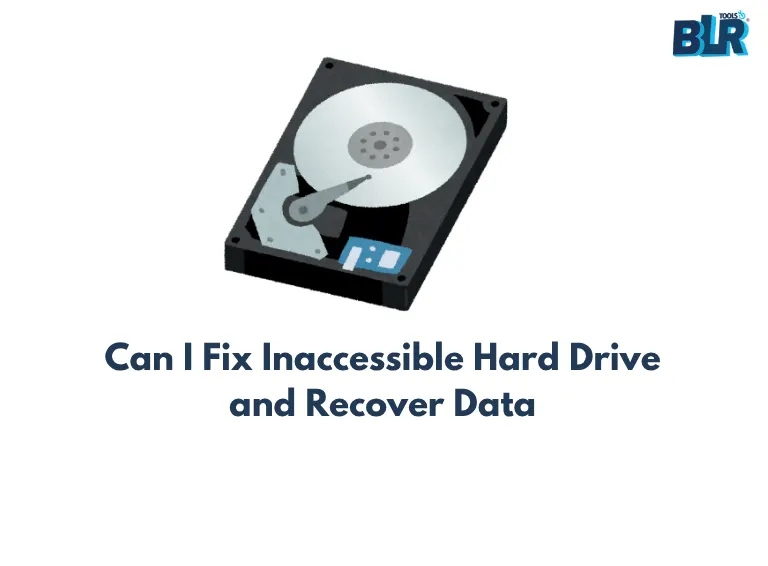
When a hard drive unexpectedly malfunctions or crashes, how do we recover our lost data? Continue reading this blog to learn the main causes of hard drive failure, their symptoms, and ways to recover lost data from a failing hard disk. Depending on the particular conditions and seriousness of the breakdown, there are a number of alternative options you might consider when faced with a hard disk failure. Never forget that it’s better to prevent problems than to try to fix them later. Data loss can be reduced, and future failures can be avoided by regularly backing up your data and keeping good hard disk health by avoiding physical shocks, power surges, and excessive heat.
Primary Causes of Internal/External Hard Disk Failure
A hard drive can malfunction at any time, attributed to defective sectors on the disk, either from the ageing process or an abrupt system breakdown. This may lead to permanent damage to the disk platter surface. Hard disk failure typically leads to irreversible data loss. Hence, it is imperative to promptly recover data from a malfunctioning or broken hard drive. Presented below is a compilation of the primary factors that frequently lead to hard disk malfunction, accompanied by the corresponding indications and remedies for each.
1. Firmware Errors
This problem can be caused by a faulty power supply, a virus, an incorrect shutdown, or a break during firmware upgrades. Even with a brand-new hard drive, the following indicators can be found.
Symptoms:
- During boot, the drive freezes.
- The system is unable to identify the hard disk.
- The boot procedure either fails or hangs in the middle.
Solution: Before users can get a Return Authorization (RA), the hard drive must be protected by warranty. Manufacturers, on the other hand, rarely provide promises about the security of your data. For more information, please see the manufacturer’s warranty/guarantee policy. Furthermore, in the event of a hard disk failure, we recommend employing a specialized data recovery tool to restore your data.
2. Power Failure
Abrupt system shutdown due to a power failure sometimes damages hard disk,
Symptoms:
- Unexpected failure upon startup.
- System BIOS cannot detect a hard disk.
- There is no way to spin up a hard drive.
Solution: Check that the system hardware is getting enough power. To resolve this issue, choose a reputable brand of UPS. When not in use, ensure that your system is properly shut off.
3. Extreme heat
This problem could be caused by a faulty CPU fan, inadequate ventilation, a high-voltage power supply, or a hot environment. These factors could cause the system to overheat and lead to hard disk failure unexpectedly.
Symptoms:
- PC frequently restarts or freezes.
- Hardware in the system is clicking or making noise, and fans are either running too slowly or not running at all.
- After startup, a laptop or desktop soon becomes warm.
Solution: Check that the CPU fans are working correctly. Check that the processor and its peripherals are receiving adequate cooling. You can also try applying thermal paste between the heat sinks to make the CPU fan run more smoothly.
4. Mechanical breakdown
Moving parts, defective sectors, insufficient power supply, and other issues might cause mechanical failure of your hard disk. These may cause data corruption and hard disk damage.
Symptoms:
- System shutdown.
- The hard drive creates grinding or clicking noises.
- A black screen appears during bootup
Solution: You must execute system upgrades on a daily or weekly basis. Update your antivirus software on a regular basis, and scan your computer for malware or other potentially harmful behavior.
5. Corrupt File
Some of the causes of system file corruption, which render the hard drive unusable, include the usage of malicious or defective software, unexpected program termination, unethical computer shutdown procedures, power surges, and so on.
Symptoms:
- The files are corrupted or destroyed.
- The hard drive is inaccessible.
Solution: Always shut down your computer in the conventional manner. It prevents the command kernel from powering off the remaining CPU hardware. Exit any currently running apps before shutting down the computer to avoid installing malware or faulty software. You can also repair your inoperable hard disk to retrieve data.
6. Human Errors
Human mistakes are the most common cause of hard disk failure. These errors could include modifying system registry settings, wrongly installing the operating system, changing the attributes of system files, mistakenly deleting files or directories, and so on. These kinds of errors are extremely difficult to correct.
Human error has the potential to destroy data permanently as well as severely damage hard disks. Use the best data recovery software to perform a thorough scan and recover data from a damaged or failing hard drive.
Final Thought
The failure or corruption of hard drives can occur at any time. You risk losing important files, papers, and other stuff if you do not back up your data. We’ve listed the six most common solutions for hard disk failure, along with their symptoms. Some preventative techniques for data loss and hard disk failure are also mentioned above. However, if the drive is already dead, seek the assistance of a trustworthy data recovery service provider.