


Read time: 4 Min
BitLocker encryption feature lets users encrypt drives to shield important data from illegal access. It is available as a package with the Windows operating system. While BitLocker ensures strong protection, it sometimes causes challenges if users are unable to access the encrypted drive. There could be various reasons, like forgotten recovery key, virus attacks, system errors, or hardware changes, for drive inaccessibility. If you are also stuck in such a situation, there is no need to panic, as there are many methods available to recover BitLocker drive data.
Why is BitLocker Data Getting Inaccessible
Before learning methods to recover BitLocker drive data, let us know the reasons why BitLocker data becomes inaccessible.
- Forgotten BitLocker password
- Lost recovery key
- Adding or removing hardware
- Corrupted or damaged drive
- Operating system crash or boot failure
Methods to Decrypt BitLocker-Encrypted Hard Drive
There are various methods to decrypt a BitLocker-encrypted drive. Let us go through all the methods to decrypt an encrypted drive in detail here:
1: Using BitLocker Recovery Key
Whenever the drive is encrypted, a 48-digit BitLocker recovery key is generated, users can use this key to decrypt the drive. This recovery key is stored on your Microsoft account that was used when BitLocker was first enabled. If you are working in an organization, you may have a USB drive or a printed document available to you.
- Connect the encrypted drive to your system.
- When prompted, enter the recovery key.
- Unlock the drive and access your files.
2: Decrypt using certmgr.msc
If the recovery key is unavailable, but you have a certificate for the encrypted partition, you can choose this method to decrypt the drive.
- Press the Windows + R keys to open the Run dialog box.
- Type certmgr.msc and click Enter.

- Click Personal from the left panel.
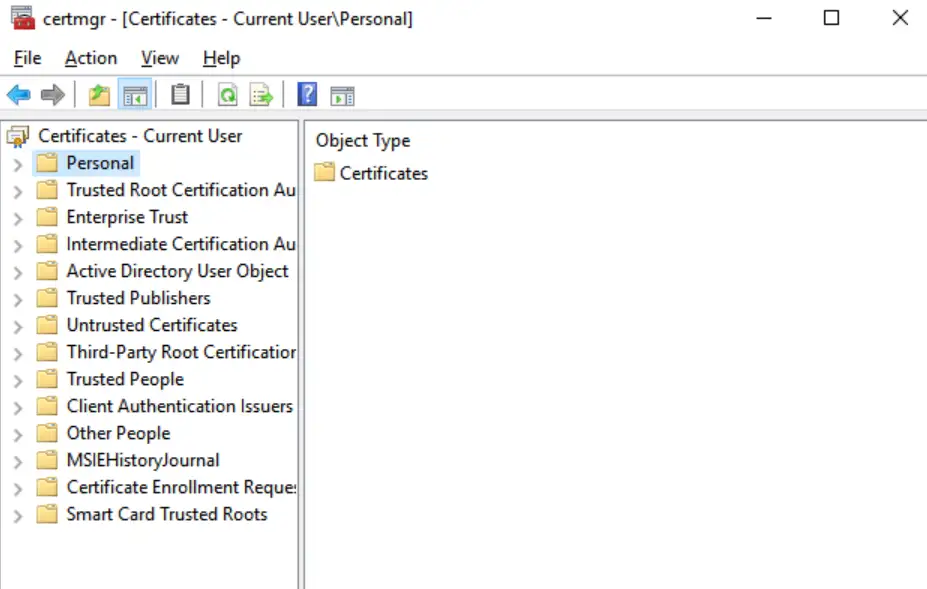
- Now navigate to Actions > All Tasks > Import from the menu.
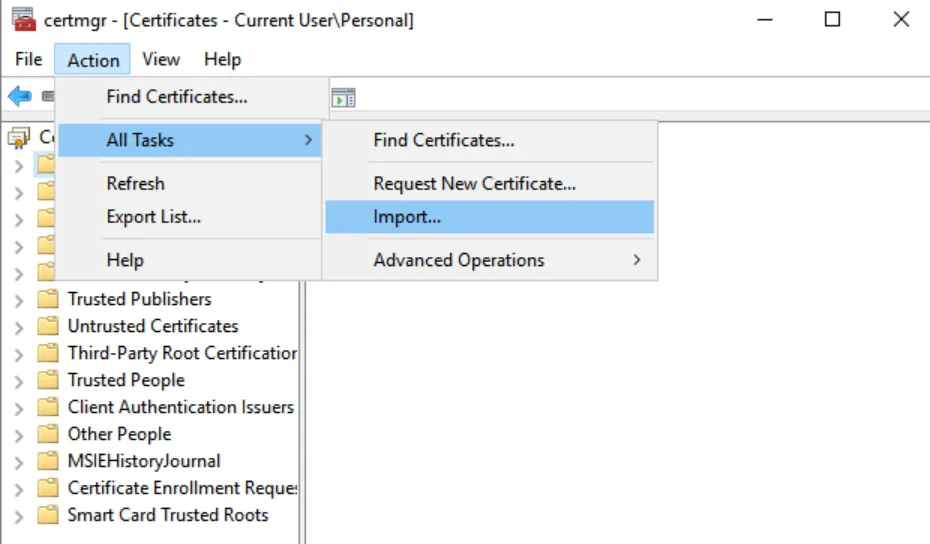
- Import the certificate by following the onscreen guidance and decrypt the drive.
Recover BitLocker Drive Data with a Professional Tool
If you are unable to decrypt the drive with any of the methods above, the only option left with the user is to use BitLocker Recovery Tool. It is a reliable tool to recover all kinds of data from an encrypted drive. Using the software, lost, deleted, and inaccessible data on BitLocker-encrypted storage devices can be recovered. The BitLocker file recovery enables you to recover any file type from an encrypted or password-protected storage device. This way, you will get the answer to how to recover BitLocker drive data!

Conclusion
In this article, we have learnt why a BitLocker-encrypted drive becomes inaccessible and ways to decrypt an encrypted drive. We have also shared a professional tool that can help users to recover data from an encrypted drive. Using specialized data recovery software like BLR data recovery tool is the most effective method for retrieving data from a BitLocker-encrypted device.