


Read time: 3 Min
BitLocker is a powerful encryption feature in Windows by Microsoft. It helps you to protect your data from unauthorized access. When enabling BitLocker encryption, you set a password and at the same time, the system creates 48-digit numerical code that is referred to as a key. However, if you forget your password or lose the recovery key, then it becomes impossible to access your encrypted drive.
In this guide, you’ll learn about the different scenarios in which data recovery is possible and how to find the recovery key to unlock your drive. If you’re still unable to locate the key, we will also discuss the BitLocker Unlocker Tool for recovery.
Can You Unlock BitLocker Without a Password or Recovery Key?
BitLocker uses a strong encryption algorithm to secure your data, which means:
Without a valid password or recovery key, unlocking the drive directly is not possible.
However, the first step is to locate the recovery key or password if you have saved it on any drive, file, or cloud account. If you still can’t find the key and recovery key, then you need a BitLocker Unlocker Tool for that. Let’s discuss these methods one by one.
Method 1: Unlock Using BitLocker Recovery Key
If you know where the recovery key is saved, then you can unlock your drive with ease. For that, first connect the encrypted drive to your system and open it. A prompt will appear that asks you to enter the key. Copy the key from the saved location and paste it to unlock the drive.
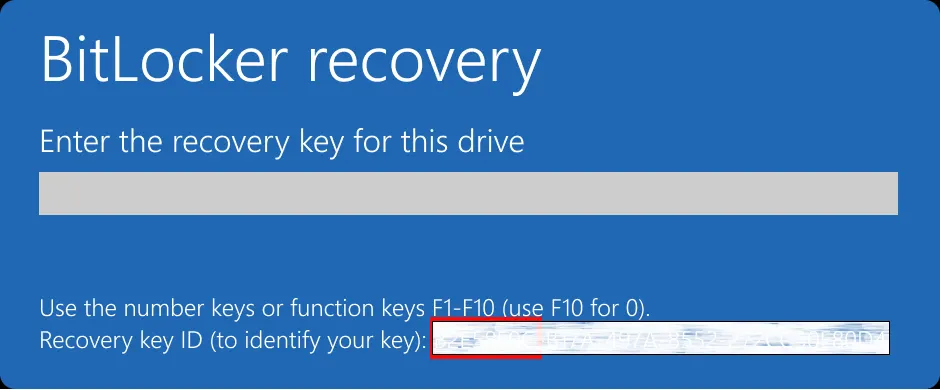
Method 2: Use BitLocker UnLocker Tool
In the absence of a password or recovery key, using the expert solution is the best approach. The BitLocker Data Recovery software will extract the lost key and lost data from BitLocker encrypted drive with ease. However, if you are trying to recover your data, then you must know that the chances of recovery depend on different situations.

Steps to Use BitLocker Unlocker Tool for Data Recovery
- Download the software on your system that has a BitLocker-encrypted drive.
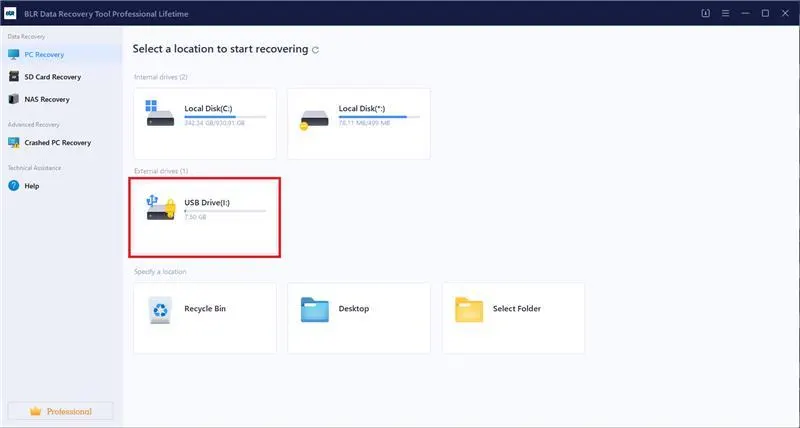
- After that, click on your drive so that the tool starts scanning it.
- After that, the tool will try to find the recovery key and unlock your drive for you.
- Then, it is easy for you to access your data without any hassle.
If you still face any issues, then you can reach out to us for lab recovery.
Common Mistakes to Avoid When Drive is BitLocker Encrypted
- Stop trying random passwords repeatedly; it will lock your system.
- Formatting the drive without checking recovery options.
- Ignoring backup locations for recovery keys.
Conclusion
Losing access to a BitLocker-encrypted drive is a situation one doesn’t want to face. However, you can still find ways to recover your data. Here we mention a few solutions to recover your data and also mention a reliable free BitLocker unlocker tool to retrieve accessible data.